
Your Guide to DJ Streaming Music Workflows (2026 Professional Operations Framework)
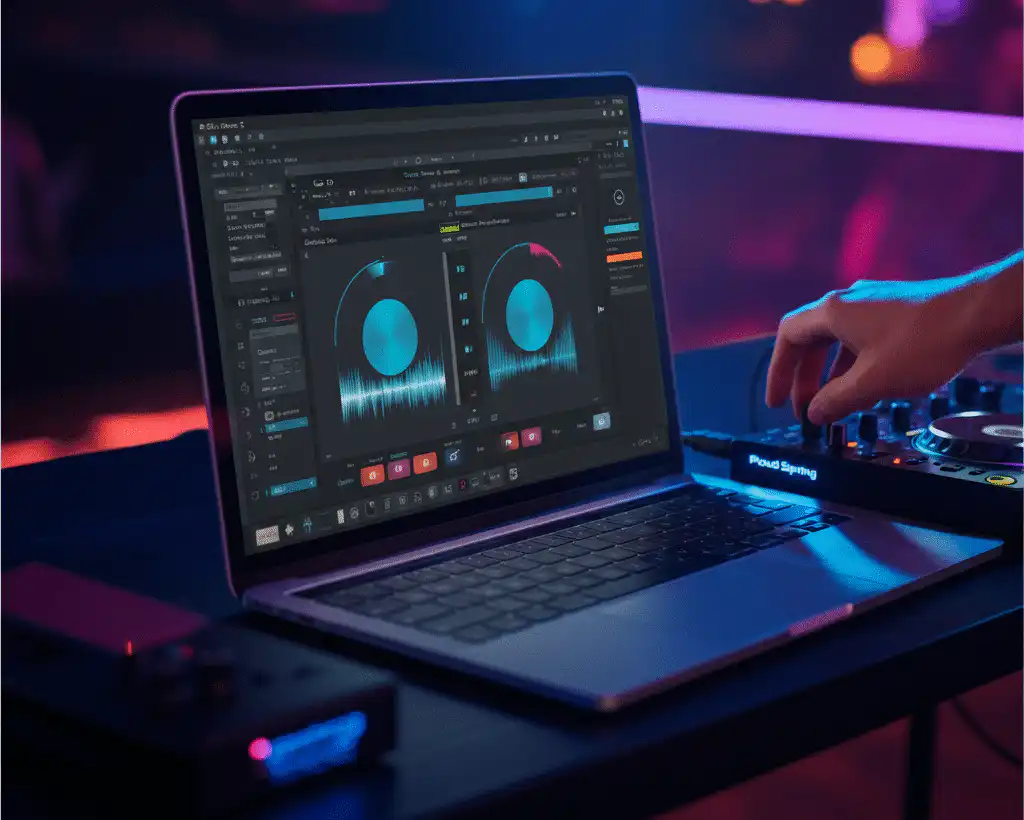
Streaming has changed working DJ operations in a fundamental way: catalogs that used to require thousands of dollars in purchased downloads and external drives can now sit inside the DJ software directly, with millions of tracks instantly searchable mid-set. But the operational reality of streaming-integrated DJing is not the same as personal-listener streaming. Professional streaming workflows require deliberate service selection, careful software integration, disciplined offline caching, advanced track preparation, network redundancy, failover architecture, and awareness of the licensing rules that govern public performance. Each layer matters at the working DJ tier, where reliability standards don’t tolerate visible failures.
This guide breaks down the streaming workflow that working DJs actually maintain from initial service setup through performance-ready cache discipline through professional-tier failover infrastructure. DJ Will Gill operates this workflow at the corporate-event tier.
Key Takeaways
→ Streaming dominates the music economy at scale. IFPI’s 2024 Global Music Report documents streaming as roughly two-thirds of the $28+ billion global recorded music industry. The infrastructure shift makes streaming-integrated DJ workflows the operational baseline for current working practice rather than the optional approach it was a decade ago.
→ Consumer streaming services and DJ-licensed streaming services are not the same product. Spotify, Apple Music, and YouTube Music are consumer services that don’t directly integrate into DJ software at the catalog level. DJ-licensed services like Beatport DJ, Beatsource, SoundCloud (DJ tier), and TIDAL DJ integration are the working DJs’ options for direct software access to streaming catalogs. The distinction matters at the workflow setup stage.
→ Audio quality standards have shifted upward in 2025-2026. Spotify launched lossless audio in September 2025 (24-bit / 44.1kHz FLAC) across 50+ markets at no premium charge, joining Apple Music’s lossless tier (since May 2021, up to 24-bit/192kHz) and TIDAL HiFi as standard expectations. Working DJ streaming workflows should default to lossless or high-quality tiers where the platform supports it.
→ The offline cache is a non-negotiable professional infrastructure. Network failure, venue Wi-Fi instability, mobile data dropouts, and platform-side outages are all real operational events that working DJs encounter. The offline cache pre-downloaded tracks accessible without active streaming connectivity is what separates DJs who handle these moments cleanly from DJs whose sets visibly fail when connectivity drops.
→ Public performance licensing is the working DJ’s regulatory layer that consumer streaming doesn’t have. DJ-licensed streaming services include rights structures designed for performance use; consumer services do not. Corporate events emphasize atmosphere as the dominant satisfaction factor (82% per 2024 research), and the venue-level performance rights infrastructure (ASCAP/BMI/SESAC at U.S. venues) operates separately from the DJ’s streaming subscription. Professional workflows account for both layers.
See streaming-integrated professional DJ workflow operationalized in live corporate event contexts. To book corporate DJ services, contact DJ Will Gill directly.
Streaming Service Selection for DJ Use
DJ-Licensed vs Consumer Streaming
The first decision. Consumer streaming services (Spotify, Apple Music, YouTube Music, Amazon Music) are designed for personal listening and do not directly integrate into professional DJ software. Working DJs need DJ-licensed streaming services, such as Beatport DJ, Beatsource Streaming, SoundCloud Go+ DJ integration, TIDAL DJ integration, and similar platforms that have the licensing structure and software integration designed for performance use. The distinction matters at workflow setup because attempting to use consumer streaming inside DJ software either fails technically or violates terms of service.
Major Platforms Overview
The working options. Beatport DJ specializes in electronic music catalogs with deep coverage of house, techno, drum-and-bass, and adjacent genres a strong choice for electronic-focused DJs. Beatsource Streaming covers broader open-format material, including hip-hop, R&B, pop, and Latin, alongside electronic. SoundCloud DJ integration provides access to a substantial independent and remix catalog that mainstream services often lack. TIDAL HiFi DJ integration offers lossless audio quality across mainstream and back-catalog material. Each platform has different catalog strengths, pricing tiers, and software-compatibility profiles; the choice depends on the working DJ’s actual repertoire needs.
Catalog Coverage Considerations
The repertoire match. No single streaming service covers every track a working DJ might need. Major-label mainstream pop and hip-hop have strong coverage on most platforms; deep electronic catalogs vary substantially by service; classic catalogs (60s-90s) have gaps on newer-focused services; remix material and edit-pack content frequently exists only on specific platforms. Strong streaming workflows often involve multiple service subscriptions, Beatport for electronic, Beatsource for open-format, plus a backup service for catalog gaps rather than relying on a single platform to cover everything.
Pricing Models
The cost structure. DJ-licensed streaming subscriptions typically run $15-$40 per month, depending on the platform and tier. Beatport Streaming, for example, has Essential, Professional, and Pro+ tiers with progressively higher offline-cache limits and feature sets. Beatsource has a similar structure. The cost is the operating expense for working DJs and pays for itself rapidly compared to the per-track download cost it replaces a working DJ buying 50+ tracks per month at $1-3 per track, which exceeds the streaming subscription cost within a single billing cycle.
Audio Quality Tiers
The lossless shift. Audio quality expectations have moved upward across the platform landscape. Spotify rolled out lossless audio in September 2025 (24-bit / 44.1kHz FLAC) across 50+ markets at no premium upcharge, following Apple Music’s lossless launch (May 2021, up to 24-bit/192kHz) and TIDAL HiFi’s long-running lossless offering. For DJ work, lossless playback matters more at venues with high-end PA systems where the quality difference is audible; on smaller systems, the difference is less obvious. Strong working DJ workflows default to the lossless tier where the platform supports it and bandwidth permits.
DJ Software Integration
Supported Integrations by Software
The compatibility map. Rekordbox (AlphaTheta, the company rebranded from Pioneer DJ in 2024) supports Beatport Streaming, Beatsource, TIDAL, and SoundCloud Go+ DJ integration. Serato DJ Pro supports Beatport Streaming, Beatsource, TIDAL, and SoundCloud Go+. VirtualDJ has broad compatibility, including Beatport, Beatsource, TIDAL, SoundCloud, and Deezer. djay Pro AI supports Beatport, Beatsource, TIDAL, SoundCloud, and Apple Music (with some limitations). The compatibility matrix evolves regularly, verifying current support before subscribing is a professional practice rather than assuming continuity.
Account Linking Workflow
The integration steps. Account linking typically involves entering streaming service credentials within the DJ software’s preferences or library settings panel, authorizing the connection via OAuth flow that opens a browser window, returning to the DJ software once authorization completes, and verifying that the streaming catalog now appears in the library browser. The process is standardized across platforms, but the specific UI varies by DJ software and streaming service combination. Most working DJs run through the integration setup once during initial subscription and only revisit it when authorizations expire or services change their authentication models.
The token lifecycle. Streaming integrations operate on authorization tokens that periodically expire or require reauthentication. Strong working DJ practice involves checking integration status before high-stakes events, opening the DJ software, browsing the streaming catalog, and attempting to load a test track from the streaming source to verify the integration is still working before the event begins. Discovering an expired token mid-event is a recoverable failure but a preventable one. The pre-event check takes 90 seconds and prevents the worst version of the failure mode.
Common Integration Issues
The failure modes. Common integration issues include expired authorization tokens (requiring re-login), catalog updates not syncing (requiring database refresh), software-version mismatches with streaming service changes (requiring DJ software update), regional catalog restrictions (different tracks available in different countries), and account-tier downgrades that disable specific integration features. Each has standard recovery procedures, but the recovery requires time, which the working DJ doesn’t always have during active gigs. Pre-event verification catches most of these proactively.
Building the Streaming Library
Playlist Organization Principles
The library architecture. Streaming-integrated DJ libraries benefit from the same organization principles as local-file libraries: playlists structured by genre, by event type, by phase (warm-up / peak / cool-down), by energy level (1-10), by era, or by mood. Working DJs typically maintain 20-50+ playlists at any given time across these dimensions, with the playlist names making the use case obvious during live work. The structure matters because under-organized libraries become liabilities even at a modest scale. The DJ knows the right track exists somewhere, but cannot find it in time.
Cross-Source Playlist Strategy
The hybrid library. Strong working DJ libraries integrate both streaming-source tracks and local-file tracks within the same playlist structure when the DJ software supports it. The hybrid approach allows the DJ to leverage streaming’s instant access to recent material while retaining local-file reliability for irreplaceable tracks. Within a single “Wedding Cocktail Hour” playlist, for example, the DJ might have 60% local-file tracks (verified, beatgridded, played hundreds of times) and 40% streaming-source tracks (newer material, less-tested, used as variety). The mix balances reliability against currency.
Tagging Within Streaming Tracks
The metadata layer. Tagging streaming-source tracks works similarly to tagging local files in most DJ software. BPM, key, energy level, and custom tags can be added, and the DJ software stores the tags in its own database rather than modifying the streaming service’s catalog. Working DJs invest in tagging streaming material the same way they tag local files because the tags drive the rapid-filtering workflow that makes live performance smooth. Untagged streaming libraries become unusable at scale just as untagged local libraries do.
Library Sync Between Devices
The cross-device challenge. Many working DJs run multiple devices: a primary performance laptop, a backup laptop, controllers with built-in displays, and sometimes mobile devices for set planning. Keeping streaming-integrated libraries synchronized across devices is a real workflow challenge because the streaming service knows about the subscription, but each device’s DJ software maintains its own database. Cloud sync features (Rekordbox Cloud, Serato Streaming, etc.) help when available; manual sync via shared playlist exports/imports works when cloud sync doesn’t. The discipline is keeping the libraries from drifting out of consistency.
The Offline Cache Professional Non-Negotiable
Why the Offline Cache Matters
The reliability layer. Network failure during a DJ set is not an edge case; it’s a regular operational event that working DJs encounter at venues with weak Wi-Fi, in convention spaces with overloaded networks, during cellular dead zones, and when streaming platforms experience their own outages. The offline cache (pre-downloaded streaming tracks accessible without active connectivity) is what separates DJs who handle these moments cleanly from DJs whose sets visibly fail when the network drops. Professional streaming workflow treats the cache as core infrastructure, not as optional polish.
Cache Size and Storage Management
The capacity decision. Streaming services typically cap offline-cache size based on subscription tier. Beatport Streaming Pro allows substantial cache, basic tiers allow less. The cache also consumes local storage, which competes with local-file libraries on the same drive. Working DJs typically allocate 100GB-500GB of cache storage and rotate the cache contents based on upcoming events rather than trying to cache everything available. The active cache for a given week reflects the events scheduled for that week, with material from past events removed to make room for upcoming material.
Pre-Event Download Protocol
The 24-48 hour discipline. Strong professional practice involves identifying the playlists needed for an upcoming event 24-48 hours in advance, queuing the offline downloads on a stable home or office network, verifying download completion before leaving for the venue, and confirming the cached tracks load correctly in the DJ software before departure. The lead time matters because large playlist downloads take real time on slower connections, and discovering an incomplete download at the venue (when downtime is the worst available) is the failure mode that the discipline exists to prevent.
Cache Verification Before Performance
The 90-second check. At the venue, before the event begins, the working DJ should disconnect from the network entirely (airplane mode, Wi-Fi off, Ethernet unplugged) and verify that the cached playlists still load and play correctly. The verification is fast (90 seconds) but catches the failure mode where the cache appeared complete, but actually depends on the network connection in ways the user didn’t realize. After verification, the DJ can reconnect to the network for live work knowing the offline fallback genuinely works.
Track Preparation Workflow
Beatgrid Analysis on Cached Tracks
The pre-set work. DJ software analyzes loaded tracks to detect beatgrids, the mathematical map of where the downbeats fall across the track, which is required for tempo-matched mixing. Streaming tracks need this analysis just like local files, but the analysis typically only runs once and gets cached with the track metadata. Working DJs let the analysis complete on all cached tracks before performance time rather than relying on real-time analysis during the live set, which strains the system and can produce errors. The pre-set analysis is the streaming workflow equivalent of pre-game prep.
Hot Cue and Memory Loop Setup
The performance markers. Hot cues (instant-jump points within a track) and memory loops (pre-defined loop sections) are the performance interface that lets working DJs deploy specific moments within tracks rapidly during live work. Setting these up requires listening to each track and marking the key moments: the drop, the chorus, the breakdown, and the bridge before the performance rather than discovering them mid-set. Streaming tracks support the same cue/loop infrastructure as local files in most DJ software, and strong working practice sets up the cues for all anchor tracks regardless of source.
Key Detection (Camelot)
The harmonic-mixing layer. Modern DJ software detects musical key automatically, and tags tracks with Camelot Wheel notation (1A through 12B) that makes harmonically compatible mixing visually obvious. Streaming tracks get the same treatment as local files. Working DJs verify the key detection on essential tracks because automatic detection occasionally errs, especially on harmonically ambiguous material; manual verification or correction prevents the failure mode where the DJ trusts an incorrect key tag and produces a clashing transition. The verification is a per-track investment that pays off across many sets.
BPM Verification and Correction
The tempo-tagging layer. BPM detection works reliably for most modern recordings but can produce errors on tracks with unusual rhythmic structure, half-time or double-time interpretations, or extended intros where the beat is ambiguous. Strong working DJ practice spot-checks BPM tags on anchor tracks before deployment and corrects errors when the automatic detection produces obviously wrong values (e.g., a track tagged at 70 BPM that actually plays at 140). The verification work is small per-track but compounds into reliability advantages across years of accumulated library.
Network Redundancy and Latency
Backup Internet (Mobile Hotspot)
The second-line connectivity. Beyond the offline cache, working DJs typically run a backup internet connection via mobile hotspot at events where streaming connectivity matters. Venue Wi-Fi can fail unpredictably, conference networks can become overloaded, and the offline cache might not contain a specific track the client requests live. The mobile hotspot is the second-line connectivity that handles on-the-fly requests and last-minute streaming access. Strong professional practice involves having an active mobile data plan with sufficient data allowance, a phone or dedicated hotspot device with a strong signal at the venue, and the failover configured before the event rather than scrambled mid-event.
Latency on First-Load Tracks
The buffering delay. Streaming tracks that haven’t been cached load slower than local files because the DJ software has to buffer the audio from the streaming service before it can start playback. Even on fast connections, the initial-load delay can be 5-15 seconds, depending on the platform and bandwidth. Working DJs account for this by pre-loading anticipated tracks during the previous track’s playback rather than discovering the delay during a critical transition. The pre-load discipline is the difference between a smooth streaming workflow and visibly halting performance.
Bandwidth Considerations During Streaming
The throughput requirement. Lossless audio streaming consumes more bandwidth than compressed streaming. Spotify lossless and TIDAL HiFi require roughly 1-1.5 Mbps per active stream, while compressed streaming runs at 320 Kbps or lower. At venues with shared internet or constrained bandwidth, the DJ’s streaming bandwidth competes with other systems (POS terminals, AV equipment, attendee phones). Strong professional practice involves understanding the venue’s bandwidth profile in advance and adjusting streaming quality settings if necessary to fit within available throughput.
When to Fall Back to Local Files
The hybrid switch. Streaming and local-file deployment are not either/or decisions; strong working DJs blend both throughout a set based on conditions. When connectivity is stable and bandwidth is generous, streaming-source tracks deploy alongside local files smoothly. When connectivity is unstable or bandwidth is constrained, the DJ shifts toward local-file deployment for the duration of the constraint. The fluid switching is itself a workflow skill recognizing in real time when conditions favor which source and adjusting deployment accordingly without breaking set continuity.
Failover Architecture
USB Backup With Critical Tracks
The portable backup. Beyond software-level offline cache, strong working practice maintains a physical USB drive with the critical-tracks subset, typically 200-500 anchor tracks that the DJ knows can handle any audience as universal-safe material. The USB layer is independent of the laptop’s drive and storage, plugs into compatible DJ controllers directly (Pioneer/AlphaTheta CDJs, etc.), and provides recovery infrastructure when the primary laptop fails or the streaming integration becomes inaccessible. The USB doesn’t replace the streaming workflow; it backs it up for worst-case scenarios.
Local-File Backup Library
The laptop-level layer. The local-file library on the primary performance laptop serves as the second redundancy layer material that’s already on the drive and doesn’t depend on either streaming connectivity or the offline cache. Strong working DJ libraries maintain 1,000-5,000+ local-file tracks across the same genre and phase territories that the streaming integration covers, so the DJ can run entire sets from local files alone if streaming-side failures cascade. The local library is overhead in storage costs but pays off as a reliability infrastructure.
Multi-Laptop / Backup Controller Setup
The hardware redundancy layer. At high-stakes events, professional DJs run dedicated backup hardware a second laptop with an identical library setup, a backup controller, or in some cases, a complete duplicate rig, so a hardware failure on the primary system doesn’t end the event. The hardware backup is overhead until the moment it’s needed, at which point it converts overhead into the only difference between event recovery and event disaster. Corporate-event tier work typically justifies the investment; smaller-event work may not.
The Three-Layer Redundancy Model
The composite reliability infrastructure. Strong professional streaming workflows operate three layers of redundancy: streaming-with-cache as the primary deployment, local-file library as the second layer when streaming fails, and USB/backup-controller as the third layer when the laptop fails. The three-layer model means a single failure at any layer doesn’t take the DJ offline; only a cascade across all three layers produces actual performance failure. The architecture seems excessive until the moment it saves a major event from operational disaster, at which point the investment pays off many times over.
Legal and Licensing Considerations
Personal Use vs Public Performance
The license-tier distinction. Consumer streaming services (Spotify, Apple Music, YouTube Music, Amazon Music) are licensed for personal listening; playing them in a public venue technically requires additional licensing that the consumer subscription does not provide. DJ-licensed streaming services include rights structures designed for performance use within the DJ’s standard subscription. The distinction matters because using consumer streaming for DJ work in commercial venues can produce licensing issues that the DJ-licensed services prevent by design. Working DJs subscribe to the DJ-licensed services for this reason as much as the catalog access.
Venue PRO (ASCAP/BMI/SESAC) Responsibility
The performing rights layer. In the United States, music played publicly at commercial venues requires the venue to maintain performing rights organization (PRO) licenses with ASCAP, BMI, and SESAC, the three major U.S. PROs that collect performance royalties on behalf of songwriters and publishers. The venue’s PRO licensing operates separately from the DJ’s streaming subscription; the streaming service handles its own licensing with rights holders, while the venue handles the performance-license layer. Working DJs at U.S. commercial venues typically rely on the venue’s PRO compliance rather than maintaining their own. International venues operate under different PRO structures with similar logic.
Recording Streaming Content (DMCA Risks)
The recording boundary. Mixes that include streaming-source content uploaded to public platforms (SoundCloud, Mixcloud, YouTube) can trigger DMCA takedown processes when the platform’s content-identification systems detect the source tracks. Working DJs who publish mixes typically use platforms with explicit DJ-mix licensing agreements (Mixcloud’s framework, for example) rather than platforms where DMCA enforcement is aggressive. Recording the DJ output for personal review is unproblematic; publishing the same recordings publicly without licensing alignment is where the issues arise.
Contract Implications for Corporate Work
The corporate-event recording question. Corporate events routinely include video recording of the event for internal use and marketing materials. When the recording includes the DJ’s music, additional rights questions arise around synchronization licensing (using music in video content). Strong professional practice for corporate event DJs involves either clearing the recording rights in advance through proper synchronization licensing or limiting recordings to scenarios where the DJ’s audio is incidental rather than featured. The legal layer is more complex for corporate work than for a standalone live performance.
Professional Application at Corporate Events
Why Corporate DJs Run Streaming + Local Hybrid
The reliability-plus-currency model. Corporate event DJ work has tighter reliability expectations than most other DJ contexts, brand-sensitive audiences, executive attendees, recording for marketing purposes, and zero tolerance for visible technical failures. At the same time, current music currency matters because audiences expect contemporary material alongside classic anchors. The hybrid model streaming for currency, local files for reliability, solves both demands simultaneously rather than forcing a choice. Working corporate DJs typically deploy roughly 60-70% local files for verified anchor material and 30-40% streaming for contemporary additions, with cache discipline ensuring the streaming layer doesn’t introduce reliability risks.
Reliability Standards at Corporate Tier
The non-negotiable layer. Corporate events do not tolerate music dropouts, audible silence between tracks, visible “loading” indicators on screens, or any of the streaming-side failure modes that consumer contexts shrug off. The reliability standard means the DJ’s streaming workflow has to handle the failure modes without producing visible events. The discipline includes pre-event cache verification, network-redundancy planning, hardware-redundancy deployment, and continuous attention to streaming-side health during the set. The standards aren’t optional; they’re an operational baseline.
When Streaming Makes Sense for Events
The context-fit decision. Streaming-integrated workflow makes most sense when the event audience expects contemporary material (corporate events with younger demographics, weddings with modern playlists, events tied to viral cultural moments), when the DJ has been booked with limited advance notice that didn’t allow purchase-based catalog updating, or when the event involves last-minute genre pivots the DJ couldn’t anticipate. For genre-locked specialty events with well-established catalogs (specialty club nights, genre festivals, themed events), local-file deployment may be sufficient without streaming overhead. The judgment is per-event rather than universal.

About the Author
William “DJ Will Gill” Gilbert is a professional DJ & Emcee who has experience working at Fortune 500 corporate event scale. Documented client work for AT&T Business, CDW, Team USA, Virgin Galactic, NeoGenomics, Foot Locker, Home Depot, Hilton, BGCA, PepsiCo, PayPal, and the United Nations. Also a Forbes Next 1000 honoree with broadcast credits including Super Bowl LIV (2020), The Voice (2011), and MTV’s The Real World: Hollywood (2008). 2,520+ five-star Google reviews accumulated over 600+ documented corporate events.
2,520+ Google Reviews · IMDB · Mixcloud · Instagram · Contact