
How To Engage a Remote Audience When the Room Is the Priority | DJ Will Gill
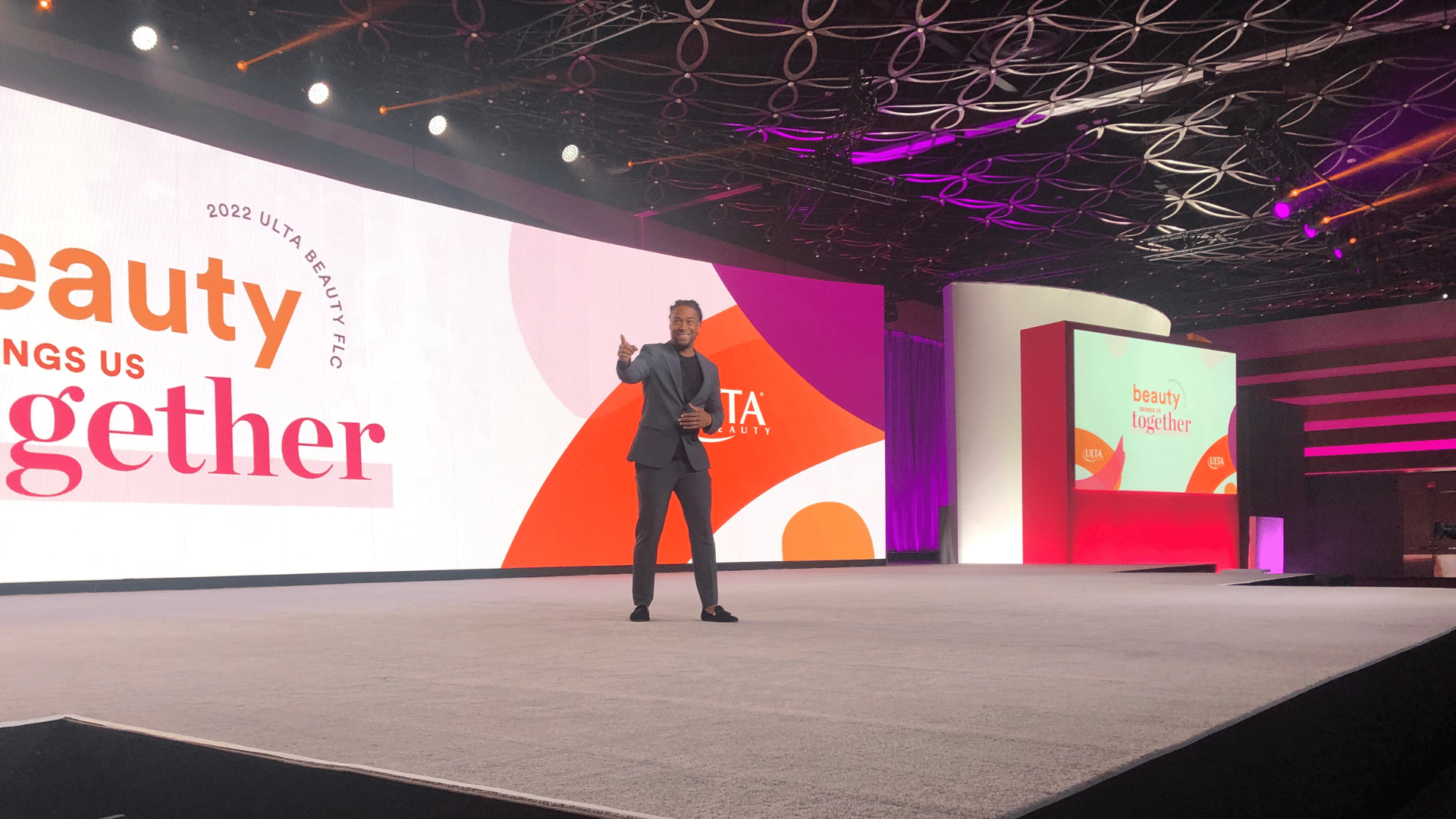
Most hybrid corporate events are not hybrid. They are an in-person event with a camera pointed at it. The room gets the production, the speaker’s eye contact, the laughs, the Q&A, and the catered breaks. The remote audience gets a single camera angle, garbled room audio when an attendee speaks, and a chat box that nobody on stage is reading. Industry data from event platforms reports that 71.1% of organizers say their biggest challenge is connecting in-person and virtual audiences, and 46% say speakers struggle to hold both audiences at once. That is not a technology problem. That is a design problem.
When the room is the priority (and most of the time, it is), the remote audience is the one most at risk of becoming a passive viewer. They are also the easiest to lose. One browser tab and they are gone, and unlike a live audience, they will not be polite about it. This piece walks through how to engage a remote audience when you have made the strategic call to prioritize the room, without letting the screen audience become an afterthought.
Want a corporate emcee who can hold the room and the screen at the same time? Contact DJ Will Gill.
Key Takeaways
- Remote attendees disappear silently. Unlike the room, you will not see them leave. Design assuming they are one tab away from going.
- Assign a dedicated virtual host. The room emcee cannot hold both audiences at once, and 46% of organizers confirm speakers struggle when forced to.
- Treat the camera like the front row. Direct eye contact to the lens, named call-outs to remote attendees, and at least one segment that originates online.
- Audio is the number one failure point. Online audiences forgive bad video. They will not tolerate audio they cannot follow.
- Pace the run-of-show for the screen. Cap heavy content blocks at 30 minutes and interleave interaction every 8 to 10 minutes.
1. Why Remote Audiences Quietly Disappear
The remote audience does not get up and leave. There is no chair scrape, no door slam, no goodbye wave from the back of the room. They just open a new browser tab, and the engagement number drops without anyone on stage noticing. That is the structural disadvantage of any hybrid format where the room is the priority.
Industry coverage of hybrid event design surfaces the same recurring failure pattern: virtual attendees are treated as a livestream, not as participants. Multiple event production agencies note that virtual attendees frequently feel like second-class participants, which hurts overall audience engagement. The job of a well-designed hybrid event is not to fully balance the room and the screen, which is almost impossible when the room is the strategic priority. The job is to make sure the screen never feels like a livestream of someone else’s event.
2. Assign a Dedicated Virtual Host
The single most common mistake at hybrid corporate events is asking one emcee to hold both audiences. It does not work. The emcee in the room is reading body language, calibrating laughter, and walking the stage. They cannot also be reading the chat, calling on virtual hands, and welcoming late joiners.
A dedicated virtual host changes the math. This is a separate person, on a separate camera, whose entire job is the screen audience. They:
- Welcome the remote audience by name as they join.
- Read chat live and surface the best questions to the room.
- Run the polls, prize draws, and side bits that keep the screen alive during room-only moments.
- Cover the awkward transitions when the in-person AV team is swapping mics or moving cameras.
- Hand off cleanly to the room emcee, like a co-host on a TV broadcast.
When 46% of organizers say speakers cannot hold both audiences at once, the answer is not to coach the speaker harder. The answer is to add a co-host. Two hosts, one event.
3. Treat the Camera Like the Front Row
A speaker who looks only at the room for 40 minutes is telling the remote audience, without saying it, that they are watching a recording. Industry coverage on hybrid speaker training notes that effective hybrid presenters build the instinct to treat the camera as another front-row attendee, not an afterthought.
Specific tactics that work on stage:
- Mark the main camera with tape on the floor. The speaker has a physical reminder of where the screen audience lives.
- Open and close every major segment, looking through the lens. The remote audience gets the same opening and closing energy as the room does.
- Name remote attendees out loud. “Sarah in Austin, I saw your question in chat.” That single sentence pulls the entire screen audience back in.
- Take at least one Q&A question from the virtual queue per segment. Alternate it with room questions, not relegate it to the end.
If the speaker only addresses the room, the screen audience disengages. If the speaker only addresses the camera, the room cools off. The skill is alternating, on purpose, every few minutes.
4. Run Polls and Q&A Across Both Audiences
The fastest way to make the screen audience feel equal is to run interactive moments where both audiences feed into the same result. One shared poll. One shared Q&A queue. One shared leaderboard if you are running a game show segment.
Industry reporting on virtual engagement notes that over 60% of virtual attendees engage with at least one interactive feature during each event, and platforms also report that around 49% of virtual event participants want more interactive features than they currently get. The demand is real. The fix is structural:
- One unified poll URL. The room and the remote audience submit into the same result. Display the combined number on screen.
- One unified Q&A queue. Remote questions are not “ours vs. theirs.” They are queued, upvoted, and called by the host the same way room questions are.
- Cross-audience teams. If you run a game show or trivia block, build at least one team that mixes in-person and remote players. Victory depends on hybrid cooperation.
When the result on the screen reflects both audiences, the screen audience knows they counted. That single design choice flips the dynamic from “watching” to “playing.”
5. Audio Is the Number One Failure Point
If you fix only one thing, fix the audio. Production agencies that produce hundreds of hybrid events flag the same pattern: bad audio is the single biggest source of hybrid event failure, and online audiences will tolerate imperfect video but not unclear audio. Virtual event reporting echoes this directly, with one industry roundup noting that around 70% of attendees say quality audio matters more than video quality for virtual event success.
Specific audio rules for the room-first hybrid event:
- Run a dedicated broadcast mix to the stream, not just the room PA feed. The stream needs its own balance.
- Wireless mic for every Q&A. Never let an audience question come through the room’s overhead mic. The remote audience will hear nothing.
- Repeat every audience question into the host mic before the speaker answers it. Standard broadcast practice. Half of hybrid events skip it.
- Monitor the stream audio in real time. A producer with headphones listening to what the screen audience hears, the entire event.
Bad video on the stream is forgivable. Bad audio empties the room.
6. Ship Remote Attendees Something Physical
The attendees in the room got a name badge, a swag bag, a coffee, and a printed agenda. The remote attendees got a calendar invite. That difference is exactly what builds the second-class feeling, even before the event starts.
A shipped welcome kit closes the gap. It does not have to be expensive. It does have to arrive before the event:
- A branded notebook or coaster set matching what the in-person attendees received.
- A meal voucher or coffee credit timed to the event window.
- A prop kit for interactive moments (a buzzer, a flag, a “vote A or B” paddle for hand-raise polls).
- A handwritten note from leadership for high-value remote attendees, especially at sales kickoffs or partner events.
When a remote attendee opens a box from the company on the morning of the event, the calculation for whether to actually show up changes. They are not joining a livestream. They are RSVP’d to a real event.
7. Pace the Run-of-Show for the Screen, Not the Room
The room can sit through a 45-minute keynote because the speaker is in front of them, the lights are dim, and they are physically committed. The screen audience cannot. Industry reporting on remote engagement notes that audience drop-off rises significantly past 30 minutes in remote sessions, and presentation-heavy formats lose attention even faster.
Build the run-of-show around the more fragile audience:
- Cap any single content block at 30 minutes. Past that, you are pushing your remote attendance off a cliff.
- Interleave interaction every 8 to 10 minutes. A poll, a Q&A pull, a short story break, a video clip. Anything that changes the pattern.
- Use the virtual host for screen-only breaks. When the room takes coffee, the screen does not go black. The virtual host runs a 5-minute mini-segment.
- Make at least one segment originate from the screen. A remote speaker who is in the run-of-show on purpose, not a Zoom panelist tacked on at the end.
If the run-of-show works for the screen, it will work for the room. The reverse is rarely true.
8. Common Hybrid Mistakes That Lose the Remote Audience
Even with the right design, the same handful of mistakes show up across hybrid corporate events. The recurring ones:
- Only one camera angle. A static wide shot for 90 minutes is a livestream, not a hybrid event. At minimum, alternate between a stage camera and a host camera.
- Ignoring the chat. If the host never reads chat, the chat dies. Once it dies, the engagement number follows.
- Q&A only from the room. Always pull a question from the virtual queue first, on purpose. Sets the tone that both audiences are equal.
- The “if you are watching online…” aside. One sentence at the start does not buy you the rest of the event. The acknowledgment has to recur every few minutes.
- No virtual networking option. The room gets coffee breaks. The screen goes dead air. A 10-minute virtual breakout or coffee chat block during room downtime keeps the remote audience present.
- Treating the platform as the strategy. No platform fixes a missing virtual host or a speaker who never looks at the camera. Production planning beats platform features every time.
A room-first hybrid event can still be a great hybrid event. The remote audience does not need an identical experience to the room. They need to know they are not watching someone else’s. Two hosts, one Q&A queue, one shared poll, ruthless audio quality, and a run-of-show paced for the screen. That is the difference between a hybrid event and an in-person event with a webcam pointed at it.
What Corporate Clients Are Saying

About the Author
William “DJ Will Gill” Gilbert is a corporate event DJ, emcee, and audience-engagement specialist known for creating experiences that lift energy and strengthen company morale. Recognized by The Wall Street Journal and named a Forbes Next 1000 honoree, he has brought his style of hosting and crowd engagement to major events including Super Bowl LIV, the FIFA World Cup, and the Formula 1 Las Vegas Grand Prix. Performing at more than 600 corporate events nationwide, Will has built a strong reputation for keeping audiences involved and events moving. He is also the founder of TheAIDJ.com, a patent-pending AI playlist platform created for music curators.