
How To Avoid Dead Air in Hybrid Event Programming | DJ Will Gill
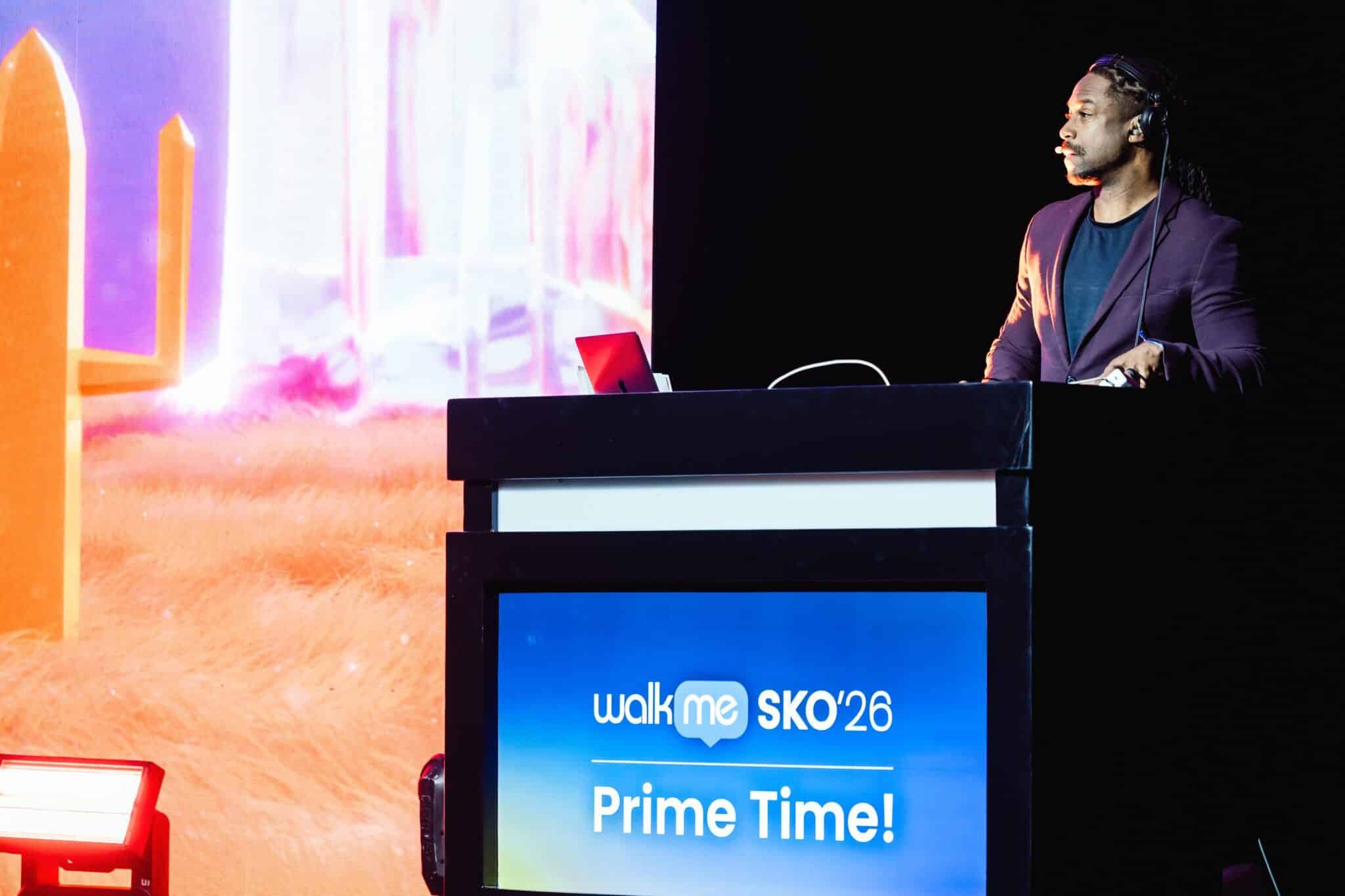
A 30-second pause feels different in a hybrid event than in a regular one. In the room, a 30-second gap while AV swaps microphones or a speaker walks to the stage is barely noticeable. Conversation hums, attendees check phones, and the room re-engages the moment the next speaker hits the mic. On the stream, the same 30-second gap reads as a technical failure. The screen sits still, the audio drops to ambient room noise, the chat goes quiet, and the remote audience starts asking whether the stream is broken. By the time the next speaker arrives, you have lost half the remote room.
The data on this is direct. Reporting on virtual event audience behavior, citing Kaltura research across 1,544 organizers and attendees, notes that 71% of attendees said they would abandon a virtual event because of technical issues, and 88% rated a seamless technical experience as important or critical. Dead air is the most common technical failure that does not actually involve broken technology. It is a programming failure that the room cannot see, and the stream cannot avoid. This piece walks through how to design hybrid programming so the screen audience never experiences silence, even when the room takes a break.
Want a corporate emcee and DJ who scripts every transition for the screen, not just the room? Contact DJ Will Gill.
Key Takeaways
- Dead air is a hybrid problem, not a room problem. The room never feels it. The screen always does.
- A 30-second silent transition in the ballroom reads as a broken stream to the remote audience. Script every transition to remove it.
- Pre-build a visual filler library before show day: title cards, speaker bios, sponsor reels, recap clips, lower-third graphics.
- Assign a dedicated virtual host who can fill the gap with chat-driven commentary while the room takes a break.
- Rehearse the handoffs, not just the content. The transitions are where dead air lives.
1. Why Dead Air Lives in Hybrid Events (Even When the Room Sounds Fine)
The structural problem is that a live room has its own ambient energy. A ballroom of 400 people generates conversation, laughter, applause, and movement that fills any silence between speakers. The remote audience hears none of that. Their feed is whatever the production team sends through the broadcast mix, which during a transition is often nothing.
Industry coverage of hybrid event production is direct on this dynamic. Reporting on hybrid production strategy notes that transitions that feel natural in a live ballroom can feel like technical failures to a remote viewer, and a brief thirty-second pause for a set reset reads as dead air on a screen. Coverage of hybrid production from another industry source frames the same point: silence or idle pauses that go unnoticed in a bustling event room feel awkward and disruptive to remote viewers, breaking immersion and causing the virtual audience to tune out.
The fix is not better cameras or faster internet. The fix is programming the show as if the remote audience is the only audience that will ever see it, and treating every gap longer than 8 seconds as a problem to fill.
2. Script Every Transition Like a TV Broadcast
A TV broadcast has no dead air because every second of the broadcast is owned by someone with a cue sheet. Corporate hybrid events should be programmed the same way. Every gap on the run-of-show has to have a labeled fill: who covers it, what plays during it, and how long it runs.
Stanford’s own AV planning guidance for hybrid events frames this as a non-negotiable: never have dead air; to do this, create full-screen graphics or animations which can be played before or after each segment if the transition from one speaker to the next is not instantaneous. That is not a luxury production note. That is the standard.
Specific fills that work in a hybrid run-of-show:
- Speaker title cards. Full-screen graphic with name, title, and topic. 8 to 15 seconds before they walk on.
- Sponsor reels. 30 to 60 seconds of brand content during AV swap. Doubles as paid placement.
- Recap clips. Short cutdown of the previous session, playing while the room resets.
- Live shot of the room with music bed. A pan across the audience with an instrumental track underneath. Reads as deliberate broadcast pacing, not silence.
- Animated countdown. “Back in 90 seconds.” Tells the screen audience this is a controlled break, not a glitch.
Every transition on the run-of-show should be labeled with the fill content and the time. If the column is empty, dead air is already scheduled. Fill it before show day.
3. Pre-Build the Visual Filler Library Before Show Day
The single biggest reason hybrid events run into dead air is that no one pre-built the assets. The producer realizes mid-event that they need a title card for the next speaker, and there is no title card. The result is a static room shot for 45 seconds while someone in the production booth tries to build one on the fly.
A workable pre-built visual filler library for a hybrid corporate event:
- One title card per speaker. Animated entrance, brand-aligned, 8-second loop.
- One sponsor reel for every sponsor. 30 to 60 seconds each, ready to deploy in any transition slot.
- A “we will be right back” card. For breaks, meal service, or unplanned delays. Includes return time as a count-up timer.
- Animated lower-third graphics for every speaker, presenter, and panelist. Used over live shots and over pre-recorded content.
- Pre-cut recap reels for each major session. 60 to 90 seconds of highlights, ready to play during the break after the session.
- Branded transition stings. 4 to 6 seconds of animated brand transition between segments.
- An emergency animated graphic. “Please stand by while we resolve a technical issue.” Pre-loaded into the switcher. Hopefully never used.
Industry reporting on hybrid production rehearsal notes that underprepared speakers and untested slide transitions are among the most common culprits behind hybrid production failures. Pre-building the visual filler library before show day eliminates most of those failure modes in advance.
4. Assign a Dedicated Virtual Host to Cover Room Gaps
The room takes scheduled breaks. The stream cannot. When the in-person audience goes to coffee, the remote audience needs something other than a static empty stage. The fix is structural: a dedicated virtual host whose entire job is the screen audience.
Industry coverage of hybrid production roles is direct on this. Reporting on hybrid event ownership notes that virtual attendees need an active advocate during the event, with a Virtual Audience Moderator role separate from the in-room emcee. The virtual host is not a backup or a junior staffer. They are the on-camera voice the remote audience hears during every gap.
What the virtual host does during a room break:
- Stays on camera with branded background. The remote audience sees a person, not a static slide.
- Reads chat live and pulls highlights. “Sarah in Austin just asked a great question. Let me bring it up to the room when they come back.”
- Runs a short solo segment. 5-minute interview with a sponsor, a remote speaker, or a teammate.
- Recaps the last session in 2 minutes. What we just heard, what is coming next, why it matters.
- Hosts a virtual mini-poll or chat game. Keeps remote audience interactive even when the room is offstage.
A virtual host turns a 20-minute room break into a 20-minute screen-only segment. Same downtime for the room. Zero downtime for the stream.
5. Coordinate Music Stings With the Run-of-Show
Silence is the audio equivalent of a black screen. Even a 6-second pause feels long when it is silent on the stream. The fix is to use short music stings under every transition, played from the broadcast audio console, not just the room PA.
A music sting strategy that maps to the run-of-show:
- Walk-on stings (10 to 15 seconds). Plays as a speaker is announced and walks to the stage. Industry production guidance flags that professional ensembles use 10 to 15 second stings to punctuate a winner’s walk and eliminate awkward silence. Same principle applies to keynote intros.
- Transition stings between segments (4 to 6 seconds). Branded sound logos that bridge two pieces of content.
- Background music beds during chat or virtual host segments. Soft instrumental at 25% volume. Fills the space the room would have filled.
- Lift stings before announcements. 8-second rising sound that signals “something is about to happen” and pulls attention back.
- Close stings under closing remarks. Slow fade-up under the final 30 seconds of a session, signaling the close before the speaker even says “thank you.”
If the corporate DJ or audio operator owns these stings on a cued console, the run-of-show feels engineered. If the stings live on a generic playlist, they will miss the cue every time. This is one of the biggest arguments for a combined corporate DJ and emcee role at a hybrid event: one operator owns the sound cues across every transition.
6. Rehearse the Handoffs, Not Just the Content
Most hybrid event rehearsals focus on the wrong thing. Speakers practice their slides. Presenters practice their citations. Producers test the camera switching. But almost nobody rehearses the handoffs, which is where every dead-air moment actually lives.
A handoff rehearsal covers specific moments:
- Speaker A finishes; Speaker B begins. What does the room look like during the swap? What plays on the stream? Who calls the cue?
- Live speaker hands off to a pre-recorded video. Who cues the video? How does the audio cross-fade?
- Room emcee hands off to virtual host. The screen audience needs to see the handshake. Camera cue, audio cue, virtual host pickup.
- Q&A transitions from in-person to virtual questions. The room emcee should physically turn toward a camera. The chat moderator should surface the next remote question by name.
- Break announcement to break programming. The host announces a 15-minute break. The stream cuts to the virtual host. Music string bridges. No dead air.
Industry coverage of hybrid event rehearsal is blunt about this. Reporting on hybrid production strategy notes that a hybrid show requires dedicated rehearsal time that mirrors the complexity of live television production, and thorough rehearsals are non-negotiable because they are where every transition becomes flawless and every cue is hit with precision.
A 90-minute handoff rehearsal the morning of the event prevents most of the dead air that would otherwise happen during the show. Speakers will forgive the rehearsal. The remote audience will not forgive the dead air.
7. Build a Real-Time Recovery Playbook for When Tech Glitches
Even with perfect rehearsal and pre-built assets, something will go wrong. A speaker’s mic will fail mid-sentence. The stream will buffer. A remote presenter’s Wi-Fi will drop. The room will keep going because the in-person audience can see the issue being handled. The remote audience cannot. The recovery has to happen on the stream first.
A recovery playbook every hybrid event should have:
- An immediate “please stand by” graphic. Pre-loaded, one keystroke to deploy. Replaces the static room shot the moment something fails.
- A 60-second backup video. A sponsor reel, a recap clip, anything that can buy the production team 60 seconds to diagnose.
- A virtual host cue. “We are pausing briefly to resolve an audio issue. I am going to take us back to a moment from this morning’s keynote while the team works.”
- A backup speaker plan. If a remote speaker drops entirely, who picks up their content? The virtual host should have a 5-minute backup segment ready.
- A clear communication channel between production and the host. Inner ear, separate Slack channel, or runner. The host needs to know what the issue is in 15 seconds.
Industry coverage of professional emcee work captures this directly. Reporting on event hosting notes that when faced with technical failures, a professional emcee maintains momentum by keeping the audience informed, injecting humor to ease tension, and coordinating with technical teams behind the scenes. The recovery is not improvised. It is rehearsed, with assets ready and a chain of command that runs faster than the audience’s attention span.
8. Common Sources of Dead Air to Anticipate
If you only audit one column of the run-of-show, audit transitions. The recurring dead air sources at hybrid corporate events:
- Speaker walk-on and walk-off. 15 to 30 seconds of stage movement with no audio for the stream. Fill with walk-on music and a title card.
- AV swaps between sessions. Mic changes, laptop swaps, podium resets. Cover with sponsor reels or pre-cut recap content.
- Coffee and lunch breaks. The room leaves the ballroom. The stream needs a virtual host segment, not a static feed.
- The “now we are taking questions” gap. The room has to walk a mic to the next question-asker. Cover with the host pulling a chat question first.
- Award winner walk-ups. Some winners take 20 seconds to reach the stage. Walk-on music plus a winner title card fills the gap.
- Pre-event start time. The stream usually opens 15 minutes before the program starts. A pre-show segment with the virtual host, sponsor reels, and music sets the tone instead of a static room shot.
- Post-event close. The room applauds the closing speaker and starts to leave. The stream should cut to a final virtual host wrap, a thank-you reel, and credits. Not a slow fade of an emptying ballroom.
Dead air is a programming problem. It is solved with planning, pre-built assets, rehearsed handoffs, a dedicated virtual host, music stings, and a recovery playbook. None of that is about better cameras or faster internet. It is about treating the screen audience as a primary audience that needs continuous programming, not a livestream that picks up whatever the room is doing. Treat the hybrid event like a TV broadcast. Eliminate every gap longer than 8 seconds. The remote audience will not just stay. They will not even notice that the room ever took a break.
What Corporate Clients Are Saying

About the Author
William “DJ Will Gill” Gilbert is a corporate event DJ, emcee, and audience engagement specialist named the Wall Street Journal’s #1 Corporate DJ and a Forbes Next 1000 honoree. He has emceed and DJ’d hybrid corporate events, hybrid awards galas, and global town halls for Fortune 500 clients, including coordinated transitions across in-room AV and stream production teams, with 2,520+ five-star Google reviews from corporate audiences across the United States. He founded TheAIDJ.com, a patent-pending AI-powered playlist platform for music curators.