
Hybrid Event DJ Setup: The 6 Pieces of Gear Most Planners Forget | DJ Will Gill
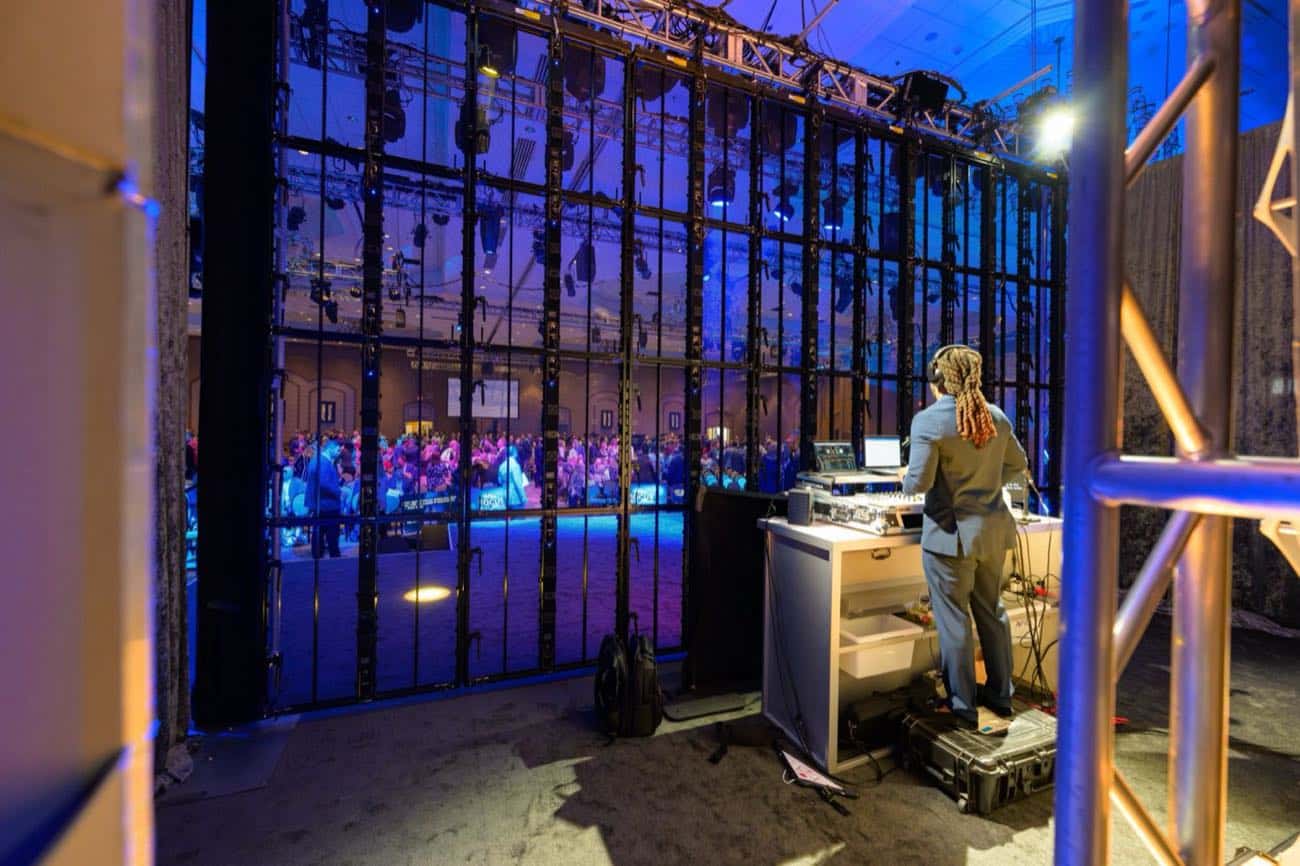
Hybrid event DJ setups are not just a DJ rig plus a webcam. The DJ at a hybrid event is feeding two audiences at once: a physical room with its own acoustics, and a broadcast stream where every track has to land cleanly on laptop speakers, AirPods, and conference room TVs. The two mixes are not the same. The two latency profiles are not the same. The two failure modes are not the same. And yet most hybrid event budgets allocate gear for the in-room sound and treat the stream as “the room mic plus a camera.” That is the gap where hybrid event experiences quietly fall apart. The room had a great party. The stream had garbled bass, no host hand-offs, and a 90-second silent intro before doors opened. Both audiences attended the same event. Only one of them experienced it.
Industry coverage of hybrid event production is now direct about the underlying split. Reporting on hybrid event AV strategy notes that audio engineering for hybrid events is significantly more complex than standard in-room AV, with the audio mix in a physical ballroom calibrated for the physical dimensions and acoustics of the space, while the stream audio requires tighter compression and leveling to sound clear on laptop speakers or headphones, with the production team managing two distinct signals simultaneously. The same principle applies to the DJ rig specifically. This piece walks through the 6 pieces of hybrid DJ gear that most planners forget, why each matters, and what the planner-side checklist looks like before signing the AV contract.
Need a corporate DJ who pre-flights the hybrid AV stack, not just the playlist? Contact DJ Will Gill.
Key Takeaways
- A hybrid DJ rig feeds two audiences simultaneously: a physical room and a broadcast stream. Each needs its own audio mix and its own production logic.
- The most common forgotten piece of gear is a separate clean broadcast feed split. Most planners assume the room mix goes to the stream. It should not.
- Stream failures are not recoverable the way in-room failures are. When the room has a glitch, the audience waits. When the stream drops, virtual attendees leave and usually do not come back.
- Redundancy is non-negotiable. Backup laptop, backup audio interface, backup encoding hardware, and a pre-staged sting library are all minimum standards.
- The hybrid DJ pre-event gear checklist should be sent to the production AV team before the venue contract is signed, not as part of the run-of-show.
1. Why “Hybrid DJ” Is Different From “DJ at a Hybrid Event”
A DJ at a hybrid event is a DJ that the production team has also pointed a camera at. A hybrid DJ is a DJ whose entire rig has been re-architected to serve two audiences with different needs. The first is the default. The second is what hybrid events actually need.
The structural differences that drive the gear list:
- Two audio mixes, not one. Room mix is calibrated for ballroom acoustics. Broadcast mix is calibrated for headphone and laptop speaker playback. Pumping the room mix into the stream produces broadcast audio that is either too bass-heavy or too compressed.
- Two failure profiles, not one. Industry coverage of hybrid event stakes is direct: hybrid events have zero tolerance for streaming failures, because when in-room AV drops the audience waits, but when the stream drops, virtual attendees leave and most do not come back. The DJ rig has to be designed for both.
- Two latency profiles, not one. The room hears tracks at the speed of sound. The stream hears tracks after broadcast encoding, packetization, and ISP routing. The DJ has to monitor in a way that accounts for both.
- Two information flows, not one. The DJ has to know what is happening in the room (visible) AND what is happening on the stream (invisible without a comm channel).
- Two “dead air” risks, not one. Industry coverage of hybrid event engagement makes the point clearly: transitions that feel natural in a live ballroom can feel like technical failures to a remote viewer, with a brief thirty-second pause for a set reset reading as dead air on a screen. The room can survive silence. The stream cannot.
The 6 pieces of gear below are what the DJ rig actually needs to operate as a true hybrid system, not as an in-room rig with a webcam pointed at it.
2. Gear #1: The Clean Audio Feed Split (Stream Gets Its Own Mix)
The single most-forgotten piece of hybrid DJ gear is a dedicated clean audio feed split from the DJ mixer directly to the broadcast encoder, separate from the house PA feed. Most hybrid event rigs use the room mic and ambient room PA as the stream’s audio source. That mix sounds great in the room and terrible on a laptop.
Industry coverage of hybrid event audio architecture is direct about why the split matters: audio issues like echo, feedback, and delay can quickly undermine a hybrid event’s effectiveness, particularly when remote and in-person participants are interacting, with the solution being to create separate audio mixes for in-room sound and streaming, then test thoroughly with participants in both environments before the event to identify and resolve any sync issues.
What the DJ rig actually needs:
- A dedicated stereo output from the DJ mixer to the broadcast encoder. Balanced XLR direct from the booth mixer to the stream engineer’s audio interface. Not the room mic.
- Independent EQ and compression on the broadcast feed. Tighter compression. Reduced sub-bass. Lifted vocal range. Different processing than the room mix.
- A return feed from the stream engineer. So the DJ can hear what the stream actually sounds like, not just what the room sounds like.
- Cable management that prevents the in-room PA feedback from bleeding into the broadcast feed. Physical isolation between the two cable runs.
The planner question to ask the AV team before contracting: “Will the DJ output feed the broadcast encoder directly, or will the stream pick up the room mic?” If the answer is the room mic, the stream audio quality is already compromised.
3. Gear #2: Wireless IFB for the DJ (So They Know What the Stream Is Doing)
A hybrid event has a show director or stream engineer making real-time decisions about when transitions happen, when remote presenters come in, and when the broadcast is live. The DJ has to know about those decisions before they happen, not after. Wireless IFB (interruptible foldback) is the comm system that lets the DJ hear the show director through an earpiece while the music is playing.
Most in-room-only DJ setups do not have IFB at all. The DJ reads the room visually and adjusts. At a hybrid event, half the information is happening on the stream side of the wall and the DJ cannot see it. Specific cues the show director needs to send to the DJ:
- “Stream goes live in 90 seconds. Stay on mid-energy bed.”
- “Remote presenter joining in 30 seconds. Bring music down to silence by then.”
- “Stream is buffering, hold the current track until we resync.”
- “Virtual moderator is about to take a Q&A question. Music to bed at 20 percent.”
- “Stage director cleared the next segment. You can build the energy now.”
Without IFB, the DJ is guessing on every transition. Industry coverage of hybrid event production teams flags the underlying structure directly: a standard hybrid team includes a video director, multiple camera operators, a stream engineer, and a virtual moderator, with the moderator acting as the primary voice of the remote audience by feeding digital Q&A into the live stage environment to create a cohesive two-way dialogue. The DJ needs to be looped into that comm chain.
The planner question to ask: “Does the DJ have a wired or wireless IFB tied into the show comm channel?” If the answer is “no, we’ll wave at them from the production table,” the hybrid program is already at risk.
4. Gear #3: Hot-Redundant Playback (Backup Laptop That Mirrors the Show)
A single DJ laptop is the single most common point of failure at a hybrid event. The laptop is running the music library, the DJ software, sometimes the lighting cues, and often the visual feed. If it crashes, the stream goes silent. There is no fallback unless one was built in advance.
Industry coverage of hybrid event redundancy is direct on the standard: comprehensive contingency planning requires backup systems for internet connectivity, power (UPS systems for critical equipment), and key production equipment (spare cameras, microphones, and computers), with specific response protocols for common failure scenarios and a failure mode rehearsal where you intentionally test your response to simulated technical issues. The DJ rig is part of the critical equipment list.
What hot-redundant playback actually looks like for a hybrid DJ rig:
- A backup laptop running the same show file in parallel. Not “in a bag.” Powered on. Loaded. Pre-cued to the current track.
- A backup audio interface. Physical interface failure is rare but happens. A second interface within arm’s reach is the difference between a 5-second recovery and a 5-minute recovery.
- A mirrored library on USB or external drive. If the laptop disk fails mid-show, the library reloads on the backup laptop in seconds.
- Pre-staged sting library on a separate device. Walk-on music, awards stings, transition beds. If the main rig fails during a transition, the stings still play from a separate device.
- UPS battery backup on the entire DJ rig. A power glitch should not take the stream silent.
The planner question to ask: “What is the DJ’s failure recovery time if the primary laptop crashes mid-event?” A pro answers in seconds. A pretender answers with a story about backups being “in the truck.”
5. Gear #4: Pre-Show Audio Bed for the Virtual Room
Virtual attendees join 15 to 20 minutes before show time. They are watching their laptop screen waiting for the event to begin. If the stream is silent during that window, retention collapses before the program has even started. A pre-show audio bed is the music programming that runs on the stream specifically for the virtual room while doors open in the physical venue.
Most planners forget this because in the physical room, “doors open” already has ambient noise (conversations, cocktail hour, room PA pre-show music). On the stream, “doors open” is a static slide and complete silence. The two experiences are not equivalent.
What the pre-show audio bed actually delivers:
- 15 to 30 minutes of curated lobby music programmed for the virtual room. Mid-energy, brand-aligned, instrumental-heavy.
- Aligned with the broadcast feed’s compression and EQ. Not the room mix. The stream mix.
- Programmed to peak right at scheduled stream start time. The energy lifts as showtime approaches. The room arrives at full energy by minute 14.
- Backed up with a pre-recorded “hold loop” in case of stream delay. If the event start is delayed 10 minutes, the pre-show bed continues seamlessly.
- Coordinated with on-screen graphics or branding. The virtual room sees the same logo loop, agenda preview, or sponsor montage that matches the audio energy.
Industry coverage of hybrid event engagement makes the underlying retention point: to maximize engagement, hybrid events must eliminate dead air through scripted transitions, with the production team treating the remote stream as a primary broadcast rather than a secondary feed, optimizing 1080p slide content and presenter pacing for a screen-first viewing experience. Pre-show silence is the first dead-air moment of the event. The DJ rig should be running before the first attendee joins the stream.
The planner question to ask: “What does the stream sound like 20 minutes before the event starts?” If the answer is “silence” or “ambient room noise,” the virtual audience is already disengaging.
6. Gear #5: DJ Camera or PTZ (Because Black Screens Kill Retention)
Hybrid events default to camera shots of the speaker. That works for the keynote. It does not work for the music programming, the awards transitions, the audience energy moments. When the speaker is offstage and the DJ is filling the room with energy, the stream is usually showing either a static logo slide or a wide ballroom shot. Both kill retention.
A dedicated camera on the DJ (or a PTZ that can quickly swing to the booth) is the gear piece that gives the stream a visible energy source during music-driven moments. Industry coverage of hybrid event camera strategy frames the underlying principle: virtual audiences should no longer be treated as second-class citizens, with the days of choppy live streams and a single camera in the back of the in-person event over, and hybrid events being multi-camera events by default to truly captivate virtual attendees.
What the DJ camera setup actually needs:
- Either a dedicated camera or a PTZ that can swing to the DJ booth. The PTZ option saves a camera operator and works for most setups.
- Lighting that makes the DJ visible. A dark booth on camera reads as black screen. A lit booth reads as active performance.
- A clean shot framing that includes the DJ AND the dance floor or audience behind them. Just the DJ is a corporate headshot. The DJ plus the room is the energy moment.
- Coordination with the video director on when to cut to the DJ shot. Music drops, awards transitions, recognition moments, audience energy peaks.
- Brand-aligned booth aesthetics. If the stream sees the DJ, the stream sees the DJ’s gear bag, the laptop sticker, and the cable run. Pre-event setup should be camera-ready.
The planner question to ask: “When the speaker is offstage and music is playing, what is the stream showing?” If the answer is “logo loop” or “we’re not sure,” the energy moments are being wasted.
7. Gear #6: Monitor Wedge Tuned for Broadcast Latency
The DJ’s stage monitor wedge (the speaker pointed at them so they can hear what they are playing) is calibrated for the in-room PA at most events. At a hybrid event, this creates a problem the DJ can hear but planners rarely think about: broadcast latency.
The in-room PA outputs sound at the speed of sound. The broadcast feed runs through encoding, packetization, and delivery, which adds anywhere from 200 milliseconds to several seconds of delay depending on the stack. If the DJ is mixing the next track based on what they hear in the monitor, they are mixing to the in-room timing. The broadcast audience hears the mix slightly later. For a beat-matched mix, this is the difference between professional and amateur on the stream side.
What a broadcast-aware monitor setup looks like:
- The primary monitor wedge is on the dry DJ output. Pre-broadcast, pre-room PA. This is what the DJ uses to beat-match and time mixes.
- A secondary monitor or in-ear is on the broadcast return feed. So the DJ can sample what the stream is actually hearing.
- The DJ mixes to the dry monitor, not to what the room is hearing. The mix is delivered cleanly to both feeds with the room’s natural acoustic delay accounted for by the room PA, and the broadcast’s processing delay accounted for by the stream stack.
- Latency-aware comm timing. When the show director calls “music down in 5 seconds,” the DJ has to time the fade to land on the broadcast feed, not the room.
This is the most operator-side of the six gear pieces. Planners do not always need to understand the technical detail. They do need to ask whether the DJ has thought about it. Industry coverage of broadcast-quality hybrid streaming notes the general principle: a single 1080p broadcast stream requires 5 to 8 Mbps of stable upload bandwidth, with multi-platform streaming requiring 20 to 30 Mbps, and dedicated hardwired internet connections rather than venue Wi-Fi being the minimum standard. Bandwidth and latency together define what the stream actually delivers.
The planner question to ask: “How is the DJ monitoring the broadcast feed compared to the in-room mix?” A pro answers with their specific monitor setup. A pretender says “I just listen to what the room is hearing.”
8. The Hybrid DJ Pre-Event Gear Checklist
A working pre-event gear checklist to send to the AV team and the booked DJ. Run through this before the venue contract is signed, not after the show is loaded in.
- 1. Clean broadcast feed split. Confirmed dedicated stereo output from DJ mixer to broadcast encoder, separate from house PA feed. Independent EQ and compression on the broadcast feed.
- 2. Wireless IFB on the DJ. Tied into the show director’s comm channel. Tested for clarity and range on the day of load-in.
- 3. Hot-redundant playback. Backup laptop powered on, mirrored show file loaded, backup audio interface within arm’s reach, pre-staged sting library on a separate device, UPS battery backup on the entire DJ rig.
- 4. Pre-show audio bed for the virtual room. 15 to 30 minutes of programmed lobby music aligned with the stream feed’s processing, peaking at scheduled stream start time, with a pre-recorded backup hold loop.
- 5. DJ camera or PTZ. Dedicated camera or PTZ pre-blocked on the booth. Booth lit for camera. Brand-aligned setup. Coordinated cut cues with the video director.
- 6. Broadcast-latency-aware monitor. Primary monitor wedge on the dry DJ output, secondary monitor or in-ear on the broadcast return feed.
- 7. Bandwidth verification. Dedicated hardwired internet on the DJ rig, separate from the broadcast encoder’s connection. Bandwidth tested 48 hours before the event under simulated load.
- 8. Pre-event rehearsal with the production team. Industry coverage of hybrid event rehearsal practice notes the standard: a rehearsal should include the virtual platform interface, with a stage-only rehearsal being only half a rehearsal and leaving the remote experience to chance. The DJ should be part of the rehearsal, not just the load-in.
Most of the 6 pieces of gear above are not glamorous. They do not show up in marketing photos. The hybrid event budget conversation usually allocates spend to the visible production elements (cameras, lighting, LED walls) and treats the DJ rig as a fixed line item. That allocation is where the experiences quietly fragment. The room has a great party. The stream has a glitchy lobby, a silent transition, a black screen during the energy peak, and a 200-millisecond lag on the beat-matched mix.
Get the 6 pieces of gear above into the AV scope before the contract is signed, run the pre-event rehearsal that includes the virtual platform, and the hybrid program delivers as one experience instead of two. The in-room audience and the stream audience attended the same event. They should remember it that way.
What Corporate Clients Are Saying
About the Author
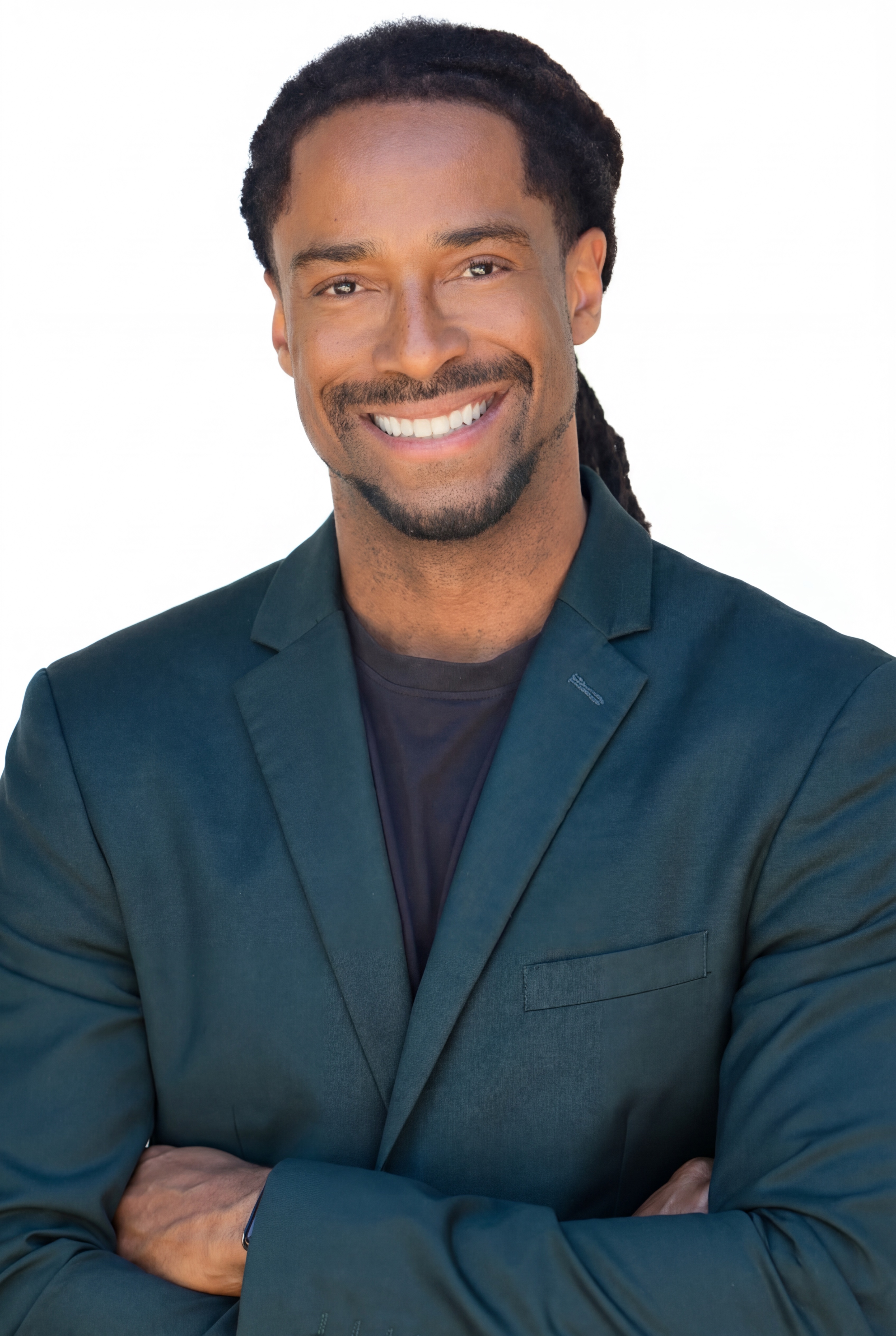
William “DJ Will Gill” Gilbert is a corporate event DJ, emcee, and audience-engagement specialist featured by The Wall Street Journal for helping virtual events support stronger company morale. He is also a Forbes Next 1000 honoree. He has DJ’d live, virtual, and hybrid events for Fortune 500 clients, partnering with broadcast AV teams to create coordinated experiences for both in-person and online audiences. His work has earned more than 2,520 five-star Google reviews from corporate audiences nationwide. He also founded THEAIDJ, an AI-powered playlist generation tool for DJs and event planners.
Book Will for your next hybrid corporate event at djwillgill.com/contact.